Create Your First Web Page Using HTML (With Code + Output)
Introduction
If you’re starting web development, the first thing you need to learn is how to create a basic web page using HTML.
In this guide, you will learn:
- What HTML is
- How to create your first webpage
- Step-by-step coding
- Output and explanation
No prior experience required.
What is HTML?
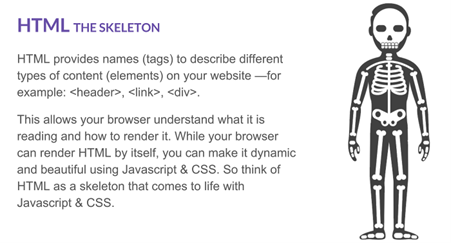
HTML (HyperText Markup Language) is the standard language used to create web pages.
It defines:
- Structure of content
- Headings, paragraphs
- Links and images
Think of HTML as the skeleton of a website
Requirements
You only need:
- A text editor (Notepad / VS Code / Antigravity / NetBeans etc.)
- A web browser (Chrome, Firefox, Firefox developer edition, Brave, Edge etc.)
Step 1: Create HTML File
- Open Notepad
- Click File → Save As
- Save as:
index.html Download Here
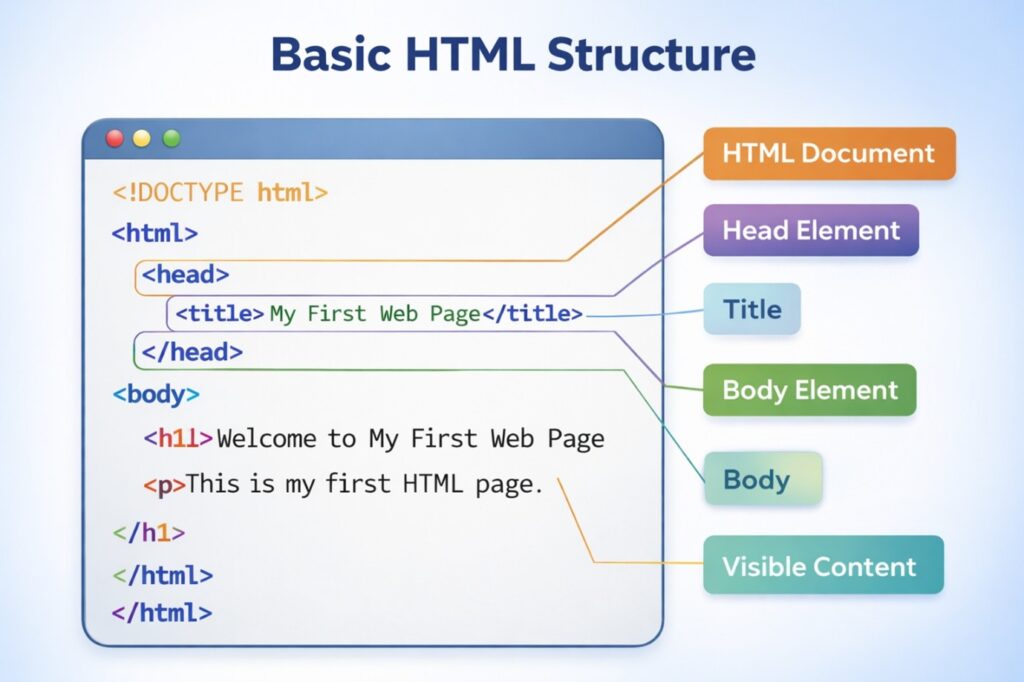
Code Explanation
<!DOCTYPE html> → Defines HTML5
<html> → Root element
<head> → Contains title
<body> → Visible content
<h1> → Heading
<p> → Paragraph
Step 3: Run the Web Page
- Save file as .html (for our example save it as index.html)
- Double click index.html
- It will open in browser
Output of Example

You will see:
- A heading
- A paragraph
Step 4: Add Link and Image
Updated Code
<!DOCTYPE html>
<html>
<head>
    <title>My First Web Page</title>
</head>
<body>

    <h1>Welcome to My Website</h1>
    <p>This is my first HTML page.</p>

    <a href="https://www.google.com">Visit Google</a>
    <br><br>

    <img src="https://via.placeholder.com/150" alt="Sample Image">

</body>
</html>
What’s New?
- <a> → hyperlink
- <img> → image
- <br> → line break
Step 5: Add List Example
<ul>
    <li>HTML</li>
    <li>CSS</li>
    <li>JavaScript</li>
</ul>
Final Output Includes
- Heading
- Paragraph
- Link
- Image
- List
Now your page looks more complete
Updated Example Download Here
Common Beginner Mistakes
- Saving file as .txt
- Missing closing tags
- Not using proper structure
Important to Note
- HTML is used to create web pages
- Every page has a basic structure
- Browser displays HTML content
- Practice is the key to learning
Revise
- What is HTML?
- Explain basic HTML structure
- Difference between <head> and <body>
- How to create a hyperlink?