


Introduction
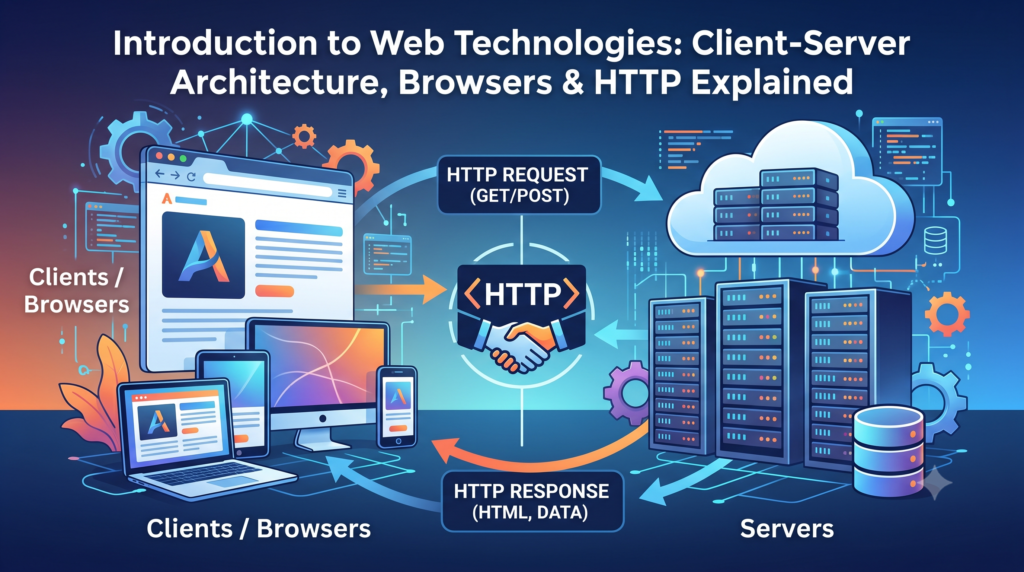
Have you ever wondered what actually happens when you type a website URL and press Enter?
Within milliseconds, your browser connects to a remote server, fetches data, and displays a complete webpage.
In this article, we will break down this entire process in a simple, step-by-step manner.
What is Web Technology?
- Web technology refers to the tools and protocols used to:
- Create websites
- Deliver content over the internet
- Enable communication between users and servers
- It mainly includes:
- Browsers
- Servers
- Protocols (HTTP/HTTPS)
- Web languages (HTML, CSS, JS)
Client-Server Architecture (Core Concept)
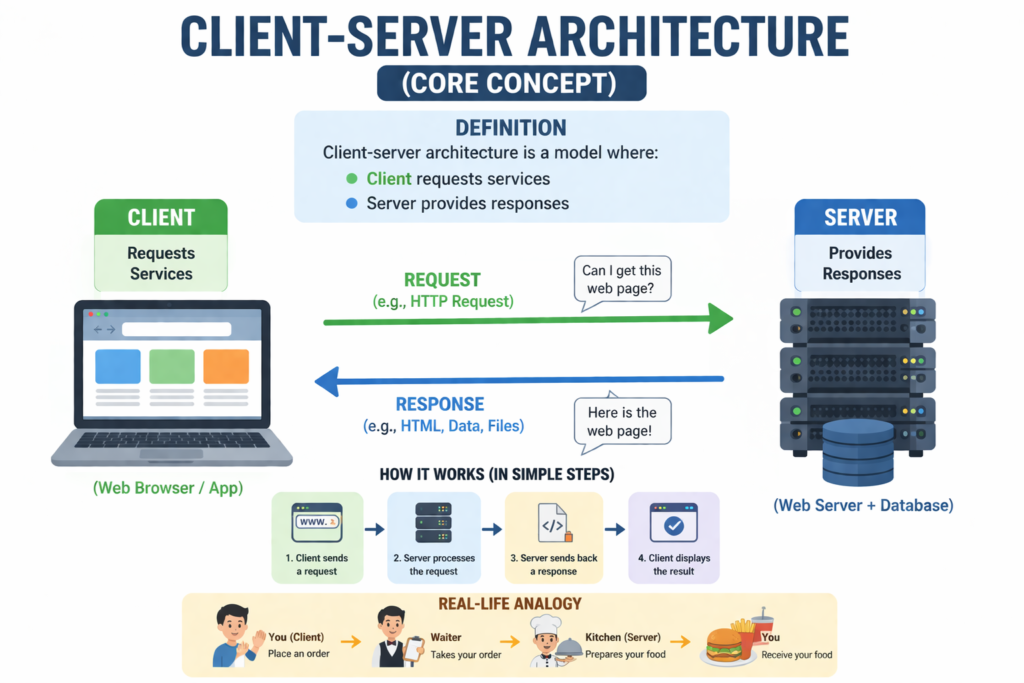
- Definition: Client-server architecture is a model where:
- Client requests services
- Server provides responses

Step-by-Step Working
- Let’s understand with a real example:
- You open: https://www.blogs.akshaynexttech.in
Step 1: Request from Client
Your browser sends a request to the server:
GET / HTTP/1.1
Host: akshaynexttech.in
Step 2: Server Processing
- Server receives request
- Finds required data
- Prepares response
Step 3: Response to Client
- Server sends:
- HTML
- CSS
- JavaScript
Step 4: Rendering
- Browser:
- Parses HTML
- Applies CSS
- Executes JavaScript
- Finally displays webpage
- Real-Life Analogy
- Think of it like a restaurant:
- You (Client) → Order food
- Waiter → Carries request
- Kitchen (Server) → Prepares food
- Waiter → Delivers food
- Think of it like a restaurant:
What is a Web Browser?
- Definition
A browser is software that allows users to access and view websites.
- Functions of Browser
- Sends HTTP requests
- Receives server response
- Renders HTML/CSS
- Executes JavaScript
- Popular Browsers
- Google Chrome
- Microsoft Edge
- Mozilla Firefox
- Behind the Scenes
- When a page loads:
-
-
- HTML → Structure
- CSS → Styling
- JS → Behavior
-
- Browser combines all to display final UI

HTTP vs HTTPS (Very Important)
- HTTP
-
- Stands for HyperText Transfer Protocol
- Used for communication
- Data is NOT encrypted
- HTTPS
- Secure version of HTTP
- Uses SSL/TLS encryption
- Protects:
- Passwords
- Payment data
- Key Differences
| Feature | HTTP | HTTPS |
|
Security |
No | Yes |
|
Encryption |
No | Yes |
|
SEO |
Low | High |
- Why HTTPS is Important
- Required for modern websites
- Improves SEO ranking
- Builds user trust
Complete Request-Response Cycle
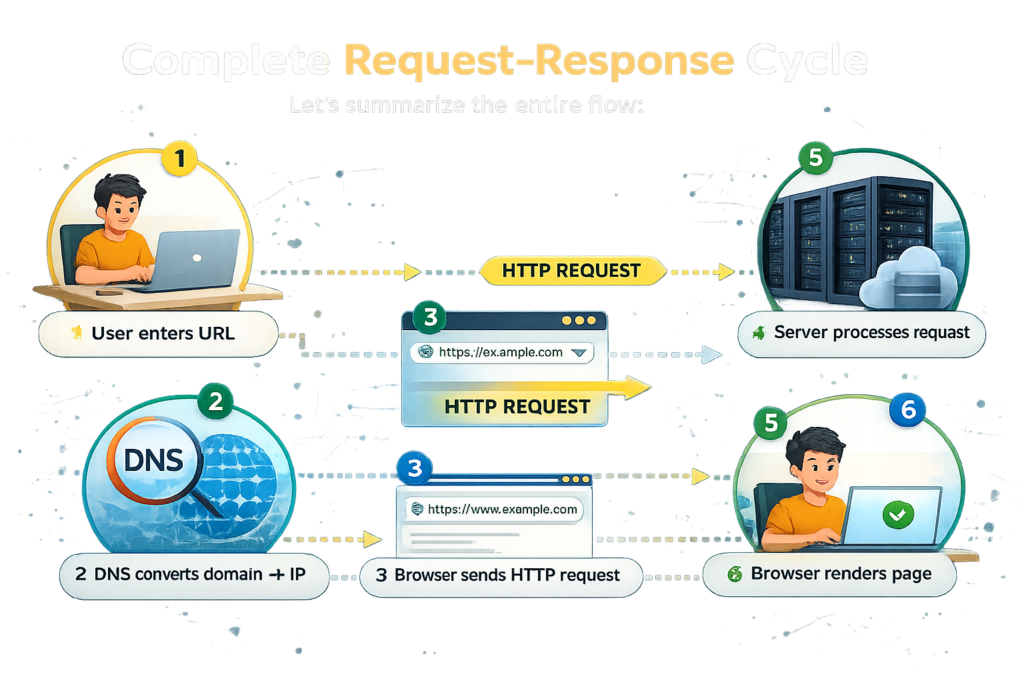
- Let’s summarize the entire flow:
-
- User enters URL
- DNS converts domain → IP
- Browser sends HTTP request
- Server processes request
- Server sends response
- Browser renders page
- Common Beginner Confusions
- “Internet = Website”
- Wrong : Internet is network, websites are services on it
- “Internet = Website”
- “Browser stores websites”
-
- Wrong : Browser only fetches and displays data
-
Why This Topic is Important
This is the foundation of everything in web development:
- Helps in debugging
- Important for cybersecurity
- Required for backend development
- Real-World Applications
- Web apps (Amazon, Gmail)
- APIs (data exchange)
- Cloud platforms
Summary
Understanding how the web works gives you a strong base for learning advanced technologies like APIs, backend development, and cybersecurity.