


Internal, Inline, and External CSS – Complete Guide
CSS (Cascading Style Sheets) is used to design and style webpages.
It controls:
- Colors
- Fonts
- Layouts
- Spacing
- Animations
- Responsive design
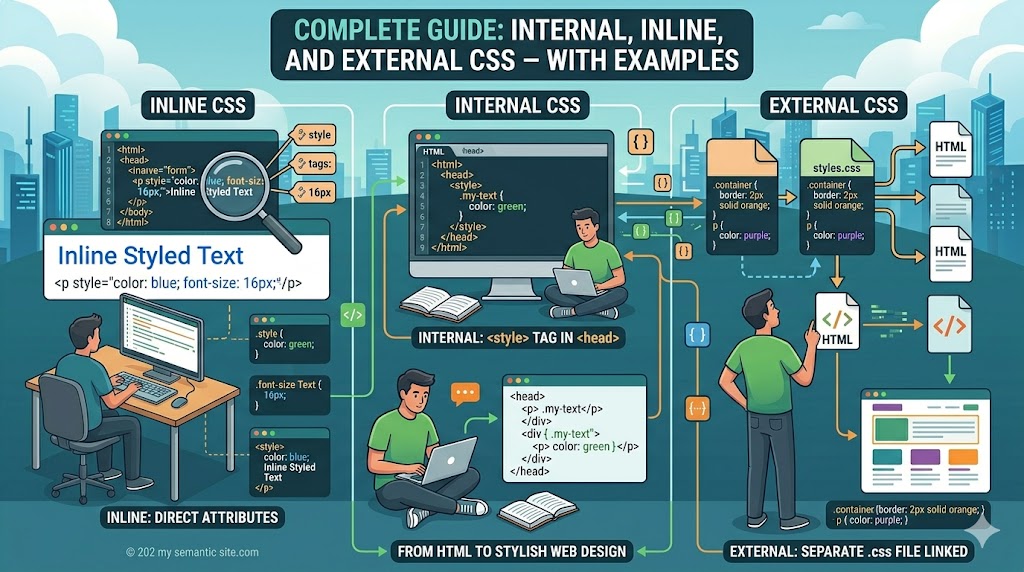
There are three major ways to apply CSS:
- Inline CSS
- Internal CSS
- External CSS
Understanding these methods is essential for every frontend developer.
What is CSS?
CSS is used to control the appearance of HTML elements.
Without CSS, webpages look plain and unstructured.
Example:
<h1>Hello World</h1>With CSS:
h1{
    color:blue;
    font-size:40px;
}
Types of CSS
| CSS Type | Description |
| Inline CSS | Applied directly inside HTML elements |
| Internal CSS | Written inside <style> tag |
| External CSS | Stored in separate .css file |
- Inline CSS
Inline CSS is applied directly inside an HTML tag using the style attribute.
Syntax:
<tag style="property:value;">1. Inline CSS Example
<!DOCTYPE html>
<html>

<head>
    <title>Inline CSS Example</title>
</head>

<body>

<h1 style="color:blue; text-align:center;">
    Welcome to CSS Tutorial
</h1>

<p style="font-size:20px; color:green;">
    This paragraph uses inline CSS styling.
</p>

<button style="background:red; color:white; padding:10px;">
    Click Here
</button>

</body>
</html>
Advantages of Inline CSS
- Easy for small changes
- Quick styling
- Useful for testing
Disadvantages of Inline CSS
- Difficult to maintain
- Repeated code
- Poor scalability
- Not recommended for large websites
2. Internal CSS
Internal CSS is written inside the <style> tag within the <head> section.
Syntax:
<style>
selector{
property:value;
}
</style>
Internal CSS Example:
<!DOCTYPE html>
<html>

<head>

<title>Internal CSS Example</title>

<style>

body{
    font-family:Arial;
    background:#f4f4f4;
}

h1{
    color:#0a192f;
    text-align:center;
}

p{
    color:#333;
    font-size:18px;
}

.card{
    background:white;
    width:300px;
    padding:20px;
    margin:auto;
    border-radius:10px;
}

</style>

</head>

<body>

<div class="card">

<h1>Internal CSS</h1>

<p>
This webpage is styled using internal CSS.
</p>

</div>

</body>
</html>
Advantages of Internal CSS
- Better than inline CSS
- Easy for single-page websites
- Cleaner structure
Disadvantages of Internal CSS
- Cannot reuse styles across multiple pages
- Large files become difficult to manage
3. External CSS
External CSS is stored in a separate .css file and linked using the <link> tag.
This is the most professional and widely used method.
Step 1: Create HTML File
index.html
<!DOCTYPE html>
<html>

<head>

<title>External CSS Example</title>

<link rel="stylesheet" href="style.css">

</head>

<body>

<header>
    <h1>External CSS Tutorial</h1>
</header>

<section class="container">

<h2>Frontend Development</h2>

<p>
External CSS helps maintain clean and reusable code.
</p>

<button>Read More</button>

</section>

</body>
</html>
Step 2: Create CSS File
style.css
body{
    margin:0;
    font-family:Arial;
    background:#f4f4f4;
}

header{
    background:#0a192f;
    color:white;
    text-align:center;
    padding:20px;
}

.container{
    width:80%;
    margin:auto;
    background:white;
    padding:20px;
    margin-top:20px;
    border-radius:10px;
}

h2{
    color:#112240;
}

button{
    background:#0a192f;
    color:white;
    border:none;
    padding:10px 20px;
    cursor:pointer;
}
Advantages of External CSS
| Benefit | Description |
| Reusable | Same CSS for multiple pages |
| Cleaner HTML | Better readability |
| Faster maintenance | Update one file |
| Professional approach | Industry standard |
Layout Design Using CSS
CSS is heavily used for webpage layouts.
Example: Flexbox Layout
.container{
    display:flex;
    justify-content:space-between;
}
Example: Grid Layout
.grid-layout{
    display:grid;
    grid-template-columns:1fr 1fr 1fr;
    gap:20px;
}
Typography in CSS
Typography controls:
- Font size
- Font family
- Line spacing
- Text alignment
Typography Example:
h1{
    font-size:40px;
    font-family:Verdana;
    text-transform:uppercase;
}

p{
    line-height:1.8;
    letter-spacing:1px;
}
CSS Colors and Backgrounds
body{
    background:#f5f5f5;
}

h1{
    color:#0a192f;
}
CSS Animations
Animations improve user experience and website engagement.
Basic Animation Example:
<div class=”box”></div>
.box{
    width:100px;
    height:100px;
    background:red;
    animation:movebox 3s infinite;
}

@keyframes movebox{

0%{
    transform:translateX(0px);
}

50%{
    transform:translateX(200px);
}

100%{
    transform:translateX(0px);
}

}
Hover Animation Example
button{
    background:#0a192f;
    color:white;
    transition:0.5s;
}

button:hover{
    background:#ff6600;
}
Responsive CSS Design
Modern websites must work on:
- Mobile
- Tablets
- Laptops
- Desktops
Media Query Example
@media(max-width:768px){

.container{
    width:95%;
}

h1{
    font-size:28px;
}

}
CSS Selectors
| Selector | Example |
| Element Selector | h1 |
| Class Selector | .box |
| ID Selector | #header |
| Universal Selector | * |
Complete CSS Priority Order
CSS priority works like this:
Inline CSS > Internal CSS > External CSS
Example:
<p style=”color:red;”>
This overrides internal and external CSS.
Best Practices for CSS
| Best Practice | Benefit |
| Use external CSS | Better maintenance |
| Keep code organized | Easier debugging |
| Use meaningful class names | Better readability |
| Avoid excessive inline CSS | Cleaner structure |
| Use responsive design | Mobile compatibility |
Common Mistakes Beginners Make
|
Mistake |
Solution |
|
Mixing all CSS types randomly |
Use proper structure |
|
No responsive design |
Use media queries |
|
Repeated styles |
Use reusable classes |
|
Large inline CSS |
Shift to external CSS |
Click Here to Download Examples
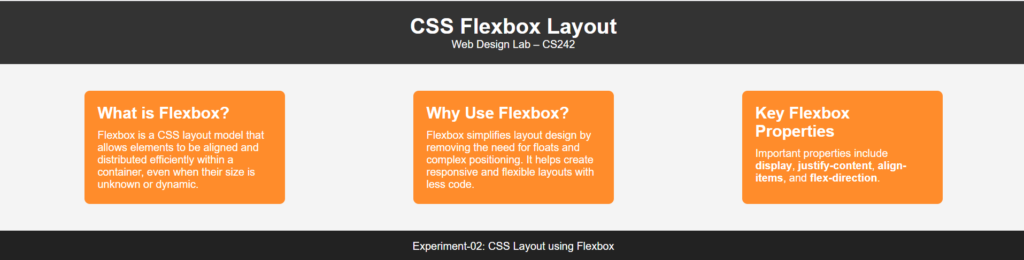
Sample Output of Example of Flexbox

Summary
CSS is the foundation of modern web design.
By understanding:
- Inline CSS
- Internal CSS
- External CSS
you can create professional, responsive, and visually attractive websites.
For real-world development, developers mostly use:
- External CSS
- CSS frameworks
- Component-based styling
After mastering CSS basics, you can move toward:
- Bootstrap
- Tailwind CSS
- Sass
- React
Practice regularly by creating:
- Landing pages
- Portfolio websites
- Blog layouts
- Responsive dashboards
The more you build, the stronger your frontend development skills become.